
5 ways MerchantFloor helps you launch your next product line
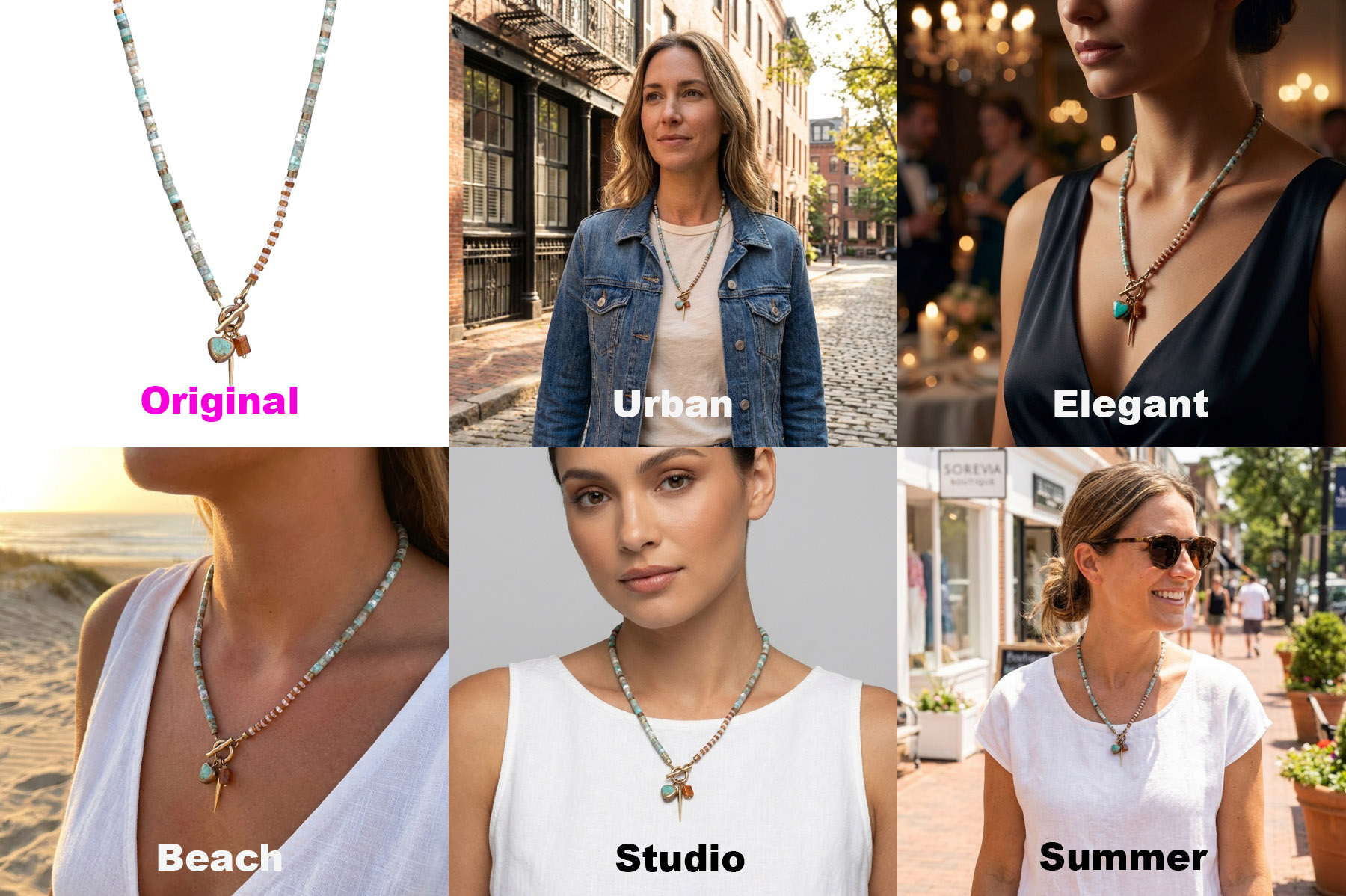 Launching a new collection is exciting and overwhelming at the same time.
It's a lot of work.
You need clear white background product photos.
You need lifestyle images that sell the vibe.
You need well-written product descriptions.
You need social posts, blogs, and launch content — fast.
Most of you likely juggle freelancers, several tools, and maybe agencies, or DIY to get across the finish line.
Our apps are designed to simplify the process for you.
MerchantFloor is an AI-powered toolkit built specifically for ecommerce brands, helping you launch new collections faster, cheaper, and more consistently — without sacrificing quality.
Here’s how store owners use MerchantFloor to speed up the launch process.
Step 1: Create Clean White Background Photos
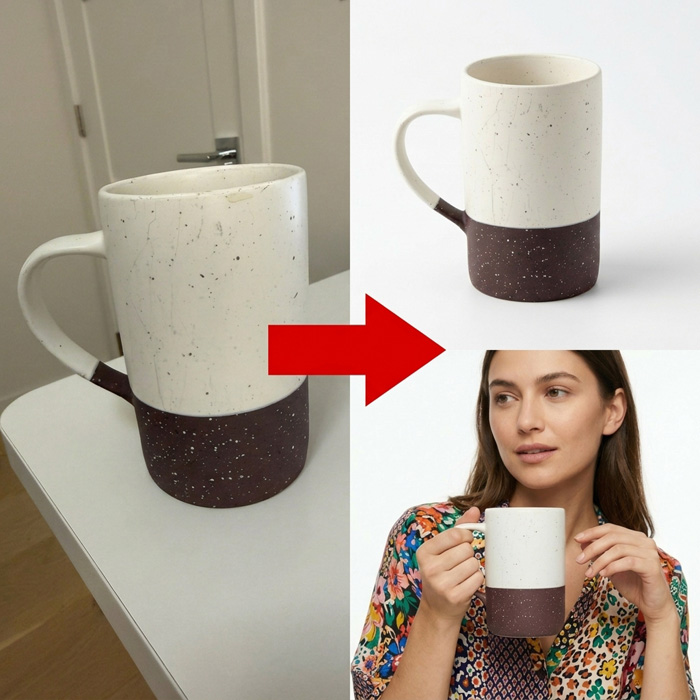
Your product photos are the foundation of your launch. Marketplaces, ads, and collection pages all depend on clean, professional visuals. See our guide to the best AI image and video tools for ecommerce.
👉 With our AI Product Photo Studio app, you can:
Upload a casual product pic and convert it into a studio-quality white background image
Show your product on a model in a studio setting e.g. clothing modeled in a studio with a white background
The best part: do this all in bulk for up to 50 images at a time.
No reshoots. No Photoshop. No expensive editors.
Step 2: Generate Lifestyle Images That Sell the Story
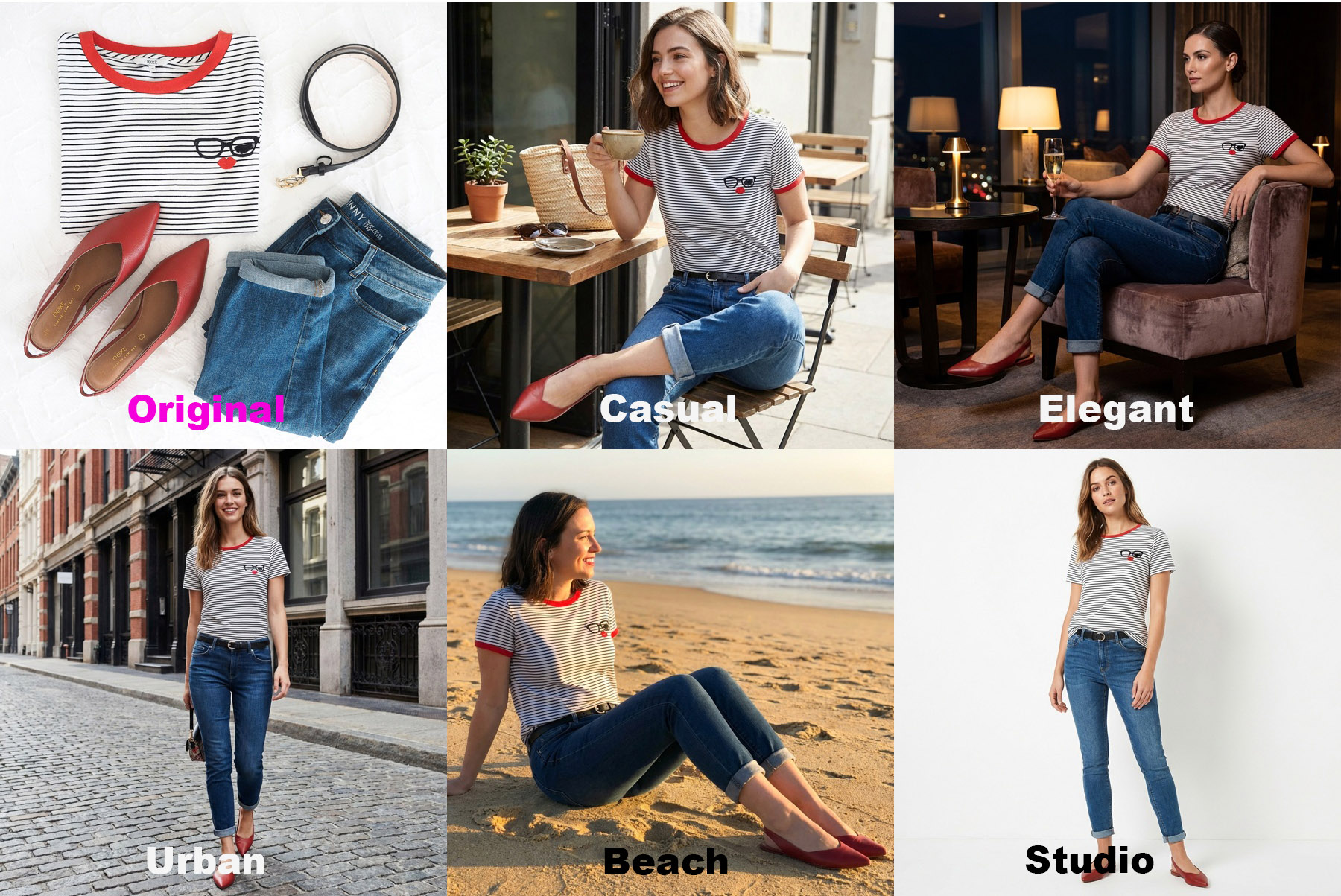 White background pics are essential — but lifestyle images are what help you sell. Here, you can see how uploading a pic of an outfit, let's you instantly see the outfit on a model in several different environments. You can use a single product or multiple to generate lifestyle images. Share these on your social channels, use them on your product pages, or ads.
👉 Our AI lifestyle image app helps you transform standard product photos into high-quality lifestyle visuals that show off your products. In one click, you can generate images of your products:
In real-world settings
In use/worn by people
Matching your brand aesthetic
Whether you’re launching a seasonal drop or a limited edition release, you can create scroll-stopping visuals without organizing a photoshoot. Bring your new collection to life — no studio, no models, no delays.
Step 3: Write High-Converting Product Descriptions (At Scale)
Writing product descriptions for a new collection is time-consuming — especially when you have dozens (or hundreds) of SKUs. Our Claude prompting tips can help speed this up even more.
👉 Our AI product description writer helps you:
Generate SEO-friendly descriptions
Highlight benefits, not just features
Match your brand voice
Generate descriptions in bulk via csv files so you can upload it all at once to your store.
You can go from a couple sentences of generic descriptions to polished descriptions that are designed to sell.
Step 4: Create Social Media Copy That Actually Converts
A launch doesn’t end on your website — you have to promote it.
👉 Our AI Social Writer app helps you create posts for:
Instagram
Facebook
X
Pinterest
Instead of staring at a caption box, you get ready-to-post copy designed to drive clicks, engagement, and sales.
Generate social copy for your collection and start promoting immediately. Create a social post every day for a different product and share it across your networks.
Step 5: Publish Blogs That Drive Traffic and Build Authority
Every successful collection launch needs a story.
👉 Our AI blog writer app helps you can create:
Launch blogs
Gift guides
SEO content to drive organic traffic
Brand storytelling posts
Use blogs to support your launch, boost SEO, and keep driving traffic long after launch day.
One Platform. One Workflow. One Clean Launch.
Our tools brings everything you need to launch in one place:
Images
Copy
Content
Speed
Instead of stitching together tools and freelancers, use MerchantFloor to launch collections faster, stay consistent, and focus on growth.
Frequently Asked Questions
Share this article
Related Articles
Why Ecommerce Brands Should Blog (and How to Start)
Should your store have a blog? Three reasons it pays off, what Google says about AI search, 30 topic ideas, and how to draft your first post.
How to Bulk Update Shopify Product Descriptions (CSV)
Upload your Shopify export to MerchantFloor and get back an import file with new descriptions, SEO fields and tags, without touching prices or variants.
How to Rewrite Supplier Product Descriptions with AI (Steps)
Copied supplier text won't get your store penalized, but it won't rank or sell either. Here's a step-by-step way to rewrite it and check the specs.