AI + Your phone: Jewelry product photos on a budget
Jewelry is the hardest product to photograph: glare, reflections, blur and dust. Learn a simple phone-plus-AI workflow for clean product shots and on-model photos without a studio.
 For e-commerce boutique owners, fine jewelry is notoriously the hardest product category to photograph. Blinding lens glares, unpredictable reflections, and microscopic dust specks make fine metals look cheap if the lighting isn't perfect.
- Polished metal acts like a mirror, small pieces blur easily, and flat-lays don't show real-world size, which is why jewelry is so hard to photograph.
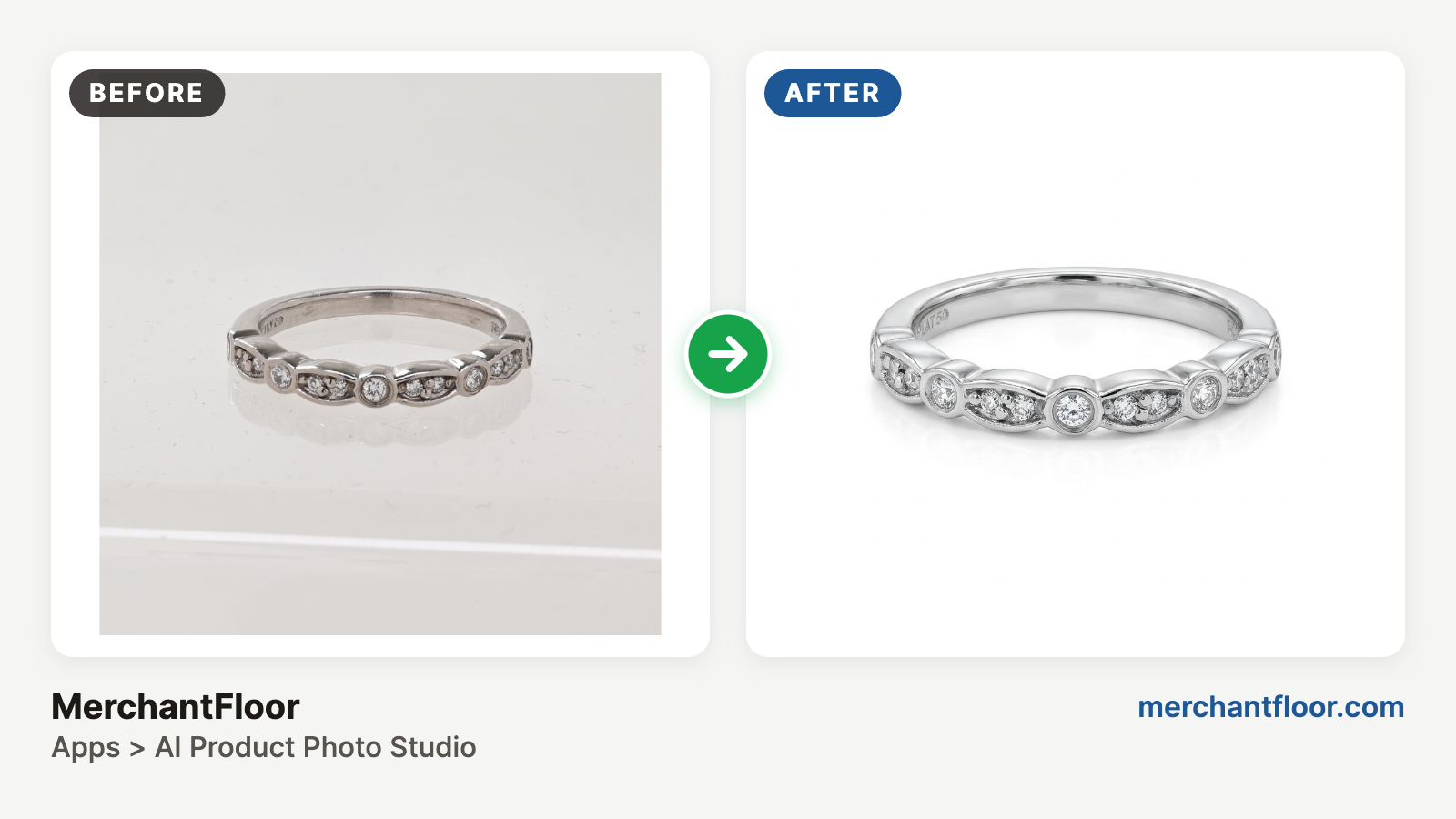
- Shoot near a large window on a plain white surface, then use AI to cut out the item and remove dust, scratches and unwanted reflections.
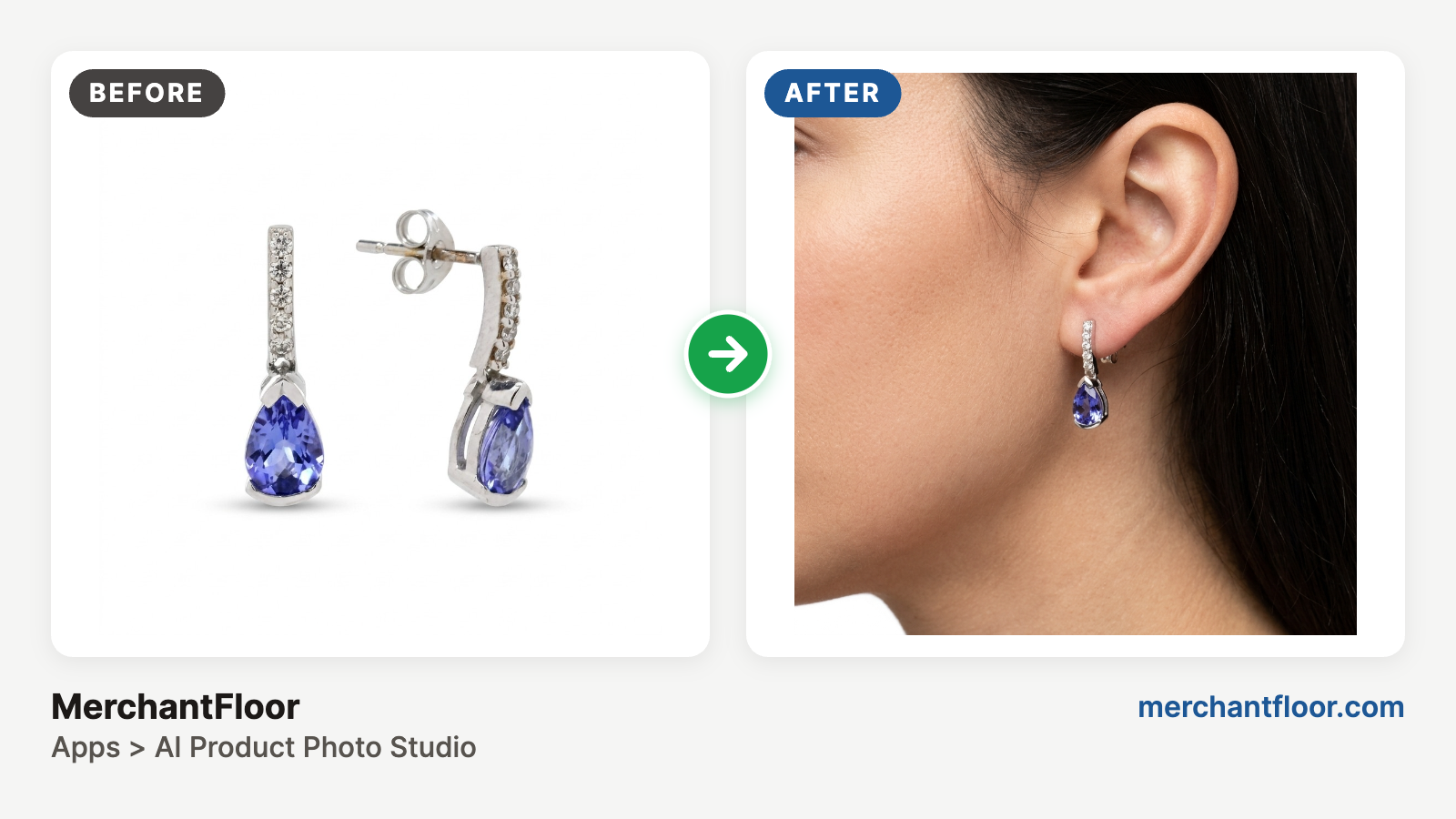
- AI can place a flat-lay jewelry photo on an AI-generated model across different skin tones, styles and settings, with no models or location studios to book.
- An AI-assisted workflow can cut content creation costs by up to 90%.
Traditionally, capturing that high-end look required thousands of dollars in specialized studio equipment and hours of professional retouching.
Today, AI changes the game. With your phone and AI, you can generate studio-quality images at a fraction of the cost.
1. Why Jewelry Photography is a Nightmare
Before looking at how AI fixes the problem, it helps to understand why traditional cameras struggle with jewelry:
The Reflection Mirror: Highly polished gold and silver act like tiny mirrors. Your camera, hands, and ceiling lights easily show up in the reflection.
Blurry Details: Because jewelry is small, standard macro lenses create a very shallow depth of field. The front of a gemstone might look sharp while the back of the band is completely blurry.
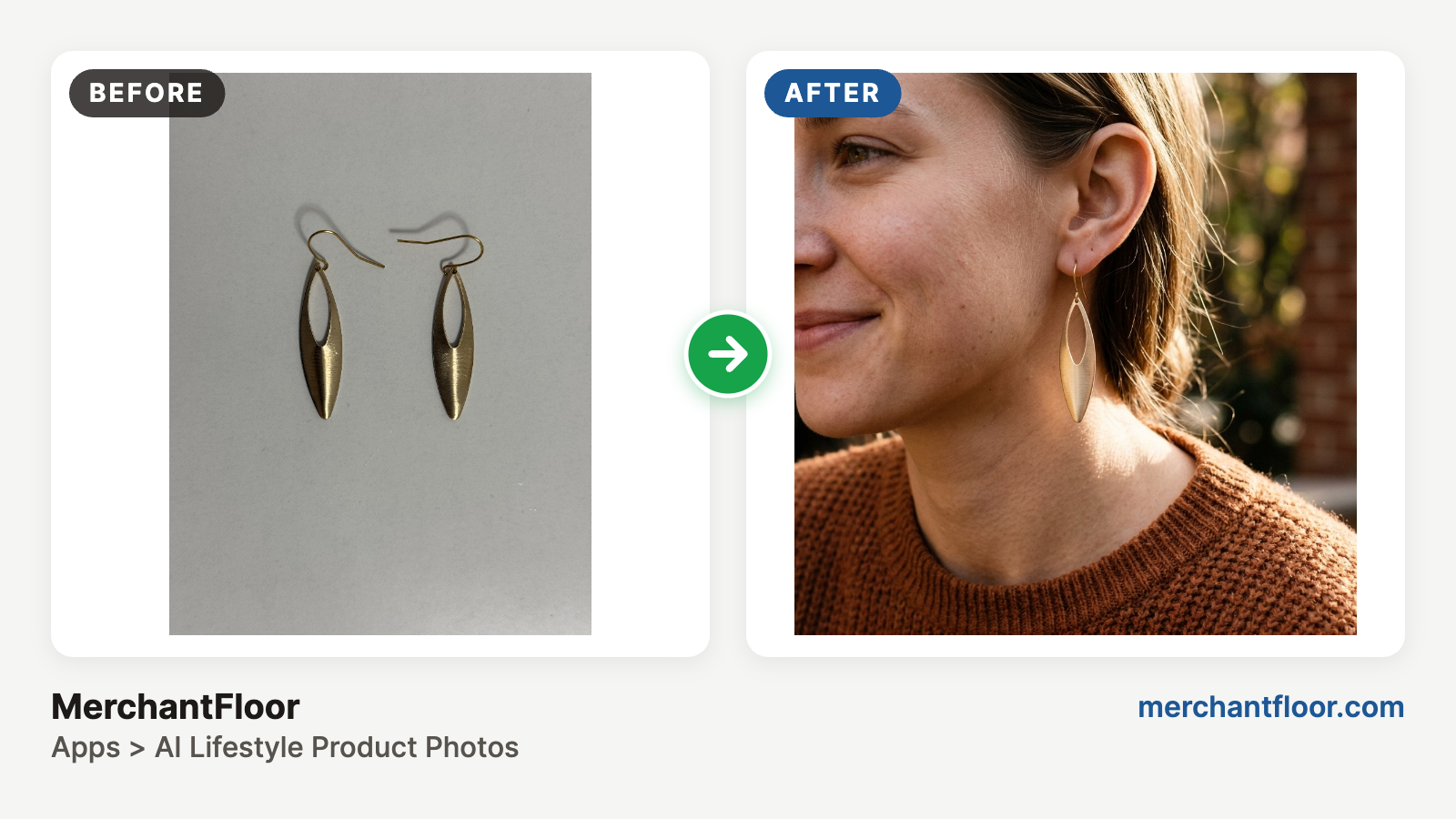
The Scale Dilemma: Flat-lay photos don't show real-world size. Customers struggle to visualize how a pendant or a pair of earrings will actually look on a real person.
2. Photography Workflow with AI
You no longer need an expensive physical set to get a clean, commercial shot. You can take a basic photo on your phone under natural light and let software handle the heavy lifting:
Instant Background Replacement: Place your jewelry on a plain white surface. AI background tools can cleanly cut out the intricate lines of a fine chain, then instantly place your product onto realistic commercial backgrounds like soft-focus velvet, concrete blocks, or sunlit stone.
Automated Dust & Scratch Removal: Precious metal surfaces are hyper-sensitive to dust. Instead of spending hours manually editing out specks, our photo studio app instantly smooths out unwanted reflections and erases scratches while keeping the authentic texture of the metal sharp.
3. AI-Generated Model Photos
The biggest breakthrough for small business owners is the ability to generate lifestyle and on-model photography without the cost of hiring real models, makeup artists, or booking location studios.
New generative AI platforms can take a standard flat-lay photo of your jewelry and realistically show it on an AI-generated human model.
Perfect Placement: The AI calculates the correct weight and drop of an earring or how a necklace rests naturally against a collarbone.
Instant Diversity: You can showcase your jewelry across a diverse range of skin tones and style aesthetics to resonate with different audiences.
Seasonal Context: Want your collection shot on a model at a beach, or styled in a high-end indoor cocktail lounge? You can swap the background instantly with a text prompt, keeping your storefront fresh all year round.
4. Your Step-by-Step AI Jewelry Photo Blueprint
Ready to try it yourself? Follow this simple digital pipeline:
Capture a Clean Baseline: Snap your jewelry near a large window for soft, natural light. Ensure your phone camera lens is clean and the item is clear enough - doesn't need to be perfect. Just clear enough for AI to see the details. AI can even do wonders with blurry images but the better image you start with, the better the output.
Isolate the Product: Run your image through an AI background remover to get a crisp, clean cutout of the item.
Pick Your Environment: For standard website listings, place the product on a pure white canvas with a subtle drop shadow. For social media banners, generate a textured lifestyle backdrop.
Add the Human Element: Feed your high-resolution product shot into an AI lifestyle image tool to show the piece being worn naturally, giving your customers the exact perspective on scale they need to confidently click "Buy."
The Bottom Line
Shifting from a traditional studio setup to an AI-assisted workflow can cut content creation costs by up to 90%. You can launch a brand-new collection over a single weekend, generating professional product listings and high-end promotional banners using nothing more than your phone and a smart suite of digital tools.