How to get your store and products recommended by AI (and how we can help)
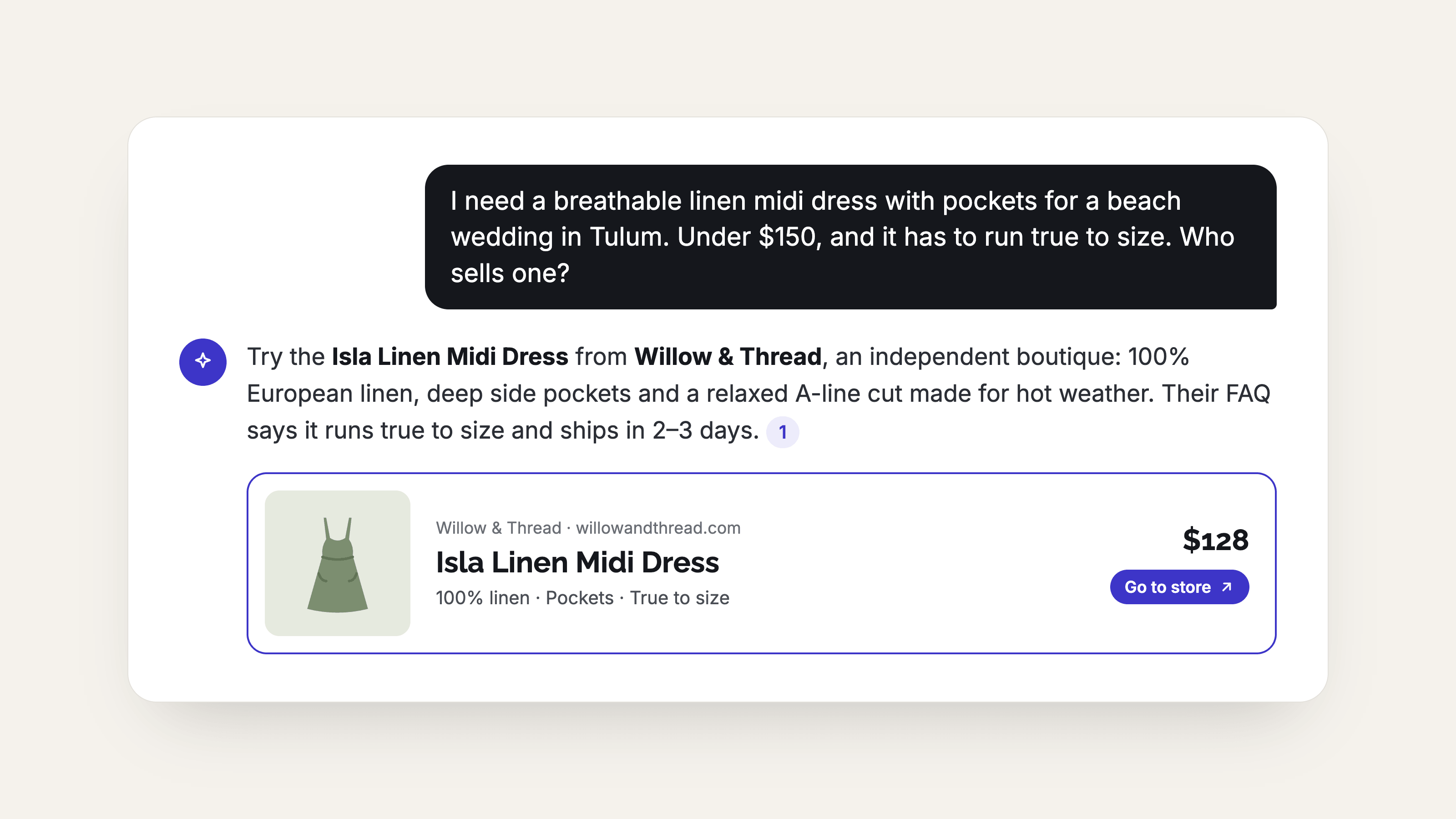 More shoppers are typing questions like "where can I find a linen midi dress that isn't see-through, under $120?" into ChatGPT, Google's AI answers, and Perplexity, and getting a short list of products and stores back. Your store shows up on that list only if the AI can clearly understand what you sell.
AI tools read your site the way a smart new employee would. They look for plain answers: what is this, who is it for, what is it made of, how does it fit, how do I care for it. Stores that spell this out get mentioned. Stores with a one-line description and photos named IMG_4021.jpg get skipped.
The 10 habits below make your products easier to find, easier to understand, and easier to quote. Most of them also help your regular Google rankings, so we'll flag the SEO overlap as we go.
To keep things concrete, we'll use one made-up product all the way through: the Marlowe Linen Midi Dress from a boutique called Willow & Thread.
1. Write detailed product descriptions
An AI can only recommend what it can describe. If your page says "Beautiful summer dress, runs true to size," there is nothing for it to quote when a shopper asks for a breathable dress for a beach wedding.
Before: "Beautiful summer dress. Runs true to size." followed by a list of features.
After: "The Marlowe is a midi dress in 100% European linen with a relaxed, A-line fit, side pockets, and a fully lined bodice so it isn't see-through. It hits mid-calf on a 5'6" model, works for beach weddings, brunches, and travel, and softens with every wash. Available in sizes XS to XXL."
The second version answers the questions shoppers type: fabric, fit, length, occasion, and a common worry (sheerness). Aim for 100 to 200 words that cover materials, sizing, who and what it's for, and care.
SEO overlap: Google rewards the same thing. Original, specific descriptions beat the copy-pasted supplier text that hundreds of other stores use.
With MerchantFloor: the product descriptions app writes a full, detailed description from your product details, so you aren't starting from a blank box.
2. Add an FAQ section to every product
Shoppers ask AI full questions, and AI looks for pages that answer those questions. A short FAQ on each product page hands it ready-made answers.
For the Marlowe dress, that might look like:
Is the Marlowe dress see-through? No. The bodice is fully lined, and the skirt is a medium-weight linen that stays opaque in white and sand.
Does linen wrinkle? A little, and that's part of the look. Steam it or hang it in the bathroom while you shower.
What size should I order if I'm between sizes? Size up for a relaxed fit, or stay true to size for a closer fit through the waist.
How do I wash it? Machine wash cold on gentle, then hang dry.
A good starting point is the questions your customers already send you by email, DM, or in the fitting room. Write the answer in the first sentence, then add detail. Four to six questions per product is plenty.
SEO overlap: Google often pulls FAQ-style answers into its "People also ask" boxes and AI summaries, which puts your store in front of shoppers who haven't heard of you yet.
With MerchantFloor: the product descriptions app generates FAQs for each product alongside the description, so every listing ships with them.
3. Organize each page into clear, labeled sections
"Structured content" just means your product page has the same tidy layout every time, with labeled pieces instead of one long paragraph. It's easier for shoppers to scan and easier for AI to pull the right fact from the right spot.
For the Marlowe dress, a simple layout looks like this:
Overview: two sentences on what it is and who it's for
Fabric and care: 100% European linen, machine wash cold, hang dry
Fit and sizing: relaxed A-line, model is 5'6" wearing a size S
Best for: beach weddings, brunch, travel
Shipping and returns: ships in 2 business days, free returns within 30 days
Use the same headings on every product so your whole catalog reads the same way. Put key facts in short bullets rather than burying them in paragraphs.
SEO overlap: headings and bullet lists help Google understand your page, and they're the format it prefers to quote in search results.
With MerchantFloor: the product descriptions app outputs structured content, with headings, bullets, and product details organized for you, ready to paste into your store. You can also send it all to Shopify automatically without copying and pasting.
4. Give every product an SEO title that says what it is
The SEO title is the headline Google and AI tools see for your page. It's separate from the product name shoppers see on your site, and most stores leave it at the default, which is often just "Marlowe Dress."
Weak: Marlowe Dress
Stronger: Marlowe Linen Midi Dress, Fully Lined | Willow & Thread
The stronger version names the product type, the fabric, one standout feature, and your store, in about 55 characters. Keep it under 60 so it doesn't get cut off, and put the most important words first.
Try this quick formula: [Product name] + [what it is] + [one standout detail] | [Your store name].
SEO overlap: this is one of the oldest and strongest signals in SEO. The same title helps Google rank the page and helps AI tools tell what the page is about.
With MerchantFloor: the product descriptions app writes an SEO title for every product, already trimmed to a sensible length.
5. Write a meta description that sums up the product
The meta description is the one or two sentences that appear under your page title in search results. It's your short pitch, and AI tools often use it as a quick summary of the page.
Example: "Breathable European linen midi dress, fully lined so it's never see-through. Relaxed fit, side pockets, sizes XS to XXL. Free 30-day returns."
Keep it to roughly 150 to 160 characters, mention the product type and one or two selling points, and finish with a reason to click, like free returns or fast shipping. Write it for a person, not a search engine.
SEO overlap: meta descriptions don't directly boost rankings, but a clear one earns more clicks, and more clicks help your visibility over time.
With MerchantFloor: the product descriptions app writes the meta description for you, so each product gets its own instead of the same blurb repeated across your store.
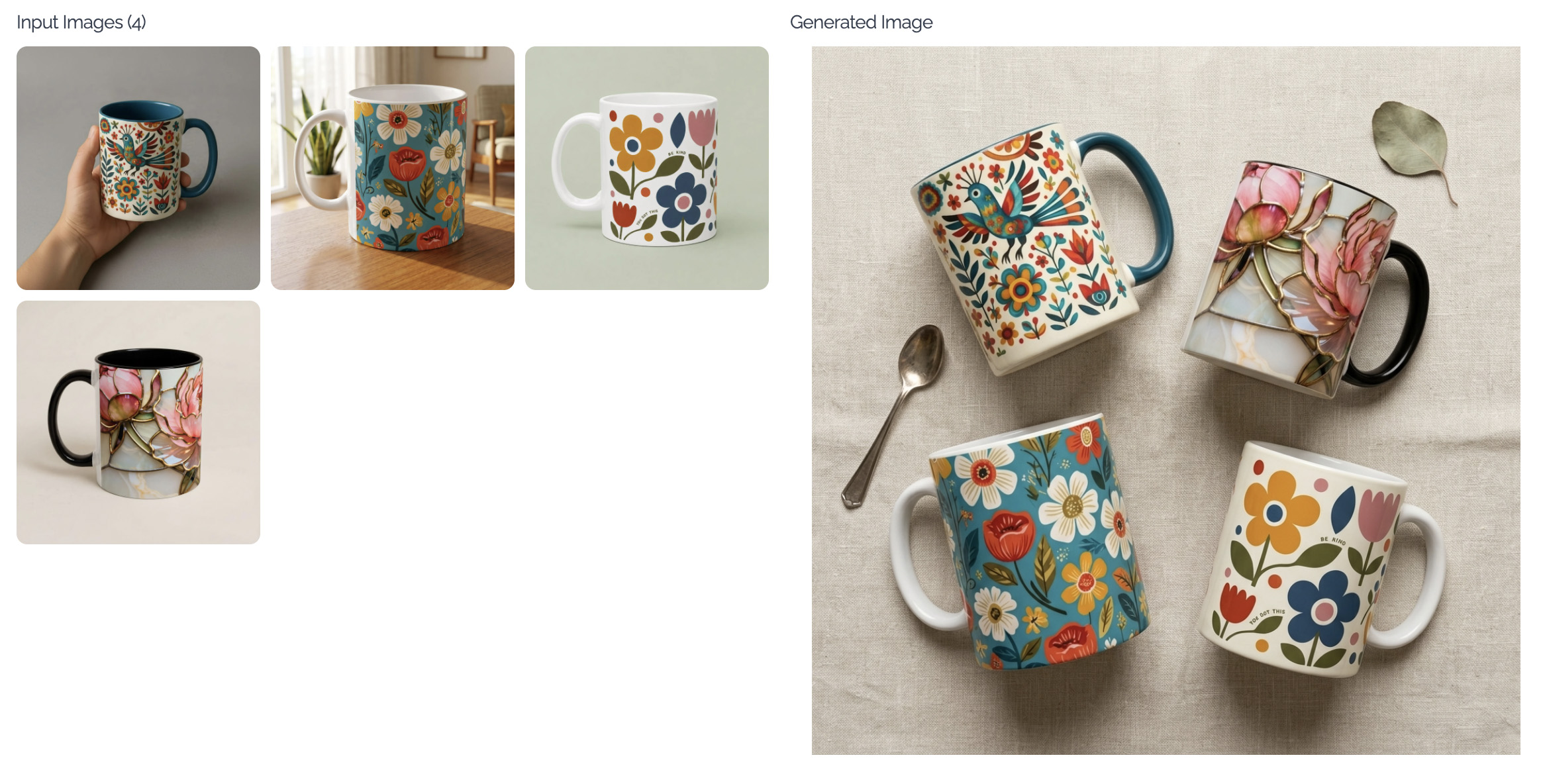
6. Show each product in several images
Shopping assistants increasingly look at images, not just words, and shoppers trust listings that show the product from more than one angle. One photo on a white background tells an AI very little. A set of images tells a story.
For the Marlowe dress, aim for a set like this:
A front view on a plain background
A back view
A close-up of the linen texture
A styled shot on a model, outdoors
A shot showing the pockets or other details
A flat lay with the accessories you'd pair it with
Five to eight images per product is a good target. Each one should show something the others don't.
SEO overlap: Google Images is a real traffic source for fashion and jewelry, and varied, high-quality images keep shoppers on your page longer.
With MerchantFloor: the product listing agent produces multiple images for each product, so you aren't limited to the one photo you shot. It also gives you a product description with FAQs.
7. Write descriptive alt text for every image
Alt text is a one-sentence description of an image that's hidden on the page. Screen readers use it for shoppers who can't see the photo, and search engines and AI tools use it to understand what the image shows. Most stores leave it blank.
Blank or weak: "dress" or "IMG_4021"
Helpful: "Woman wearing the Marlowe sand linen midi dress with side pockets, standing on a beach"
Describe what's in the picture the way you'd explain it to a friend over the phone: the product, the color, the setting, and any detail that matters. Keep it under about 125 characters, skip phrases like "image of," and write a different description for each photo.
SEO overlap: alt text is a long-standing SEO basic. It helps your images appear in Google Images and makes your site more accessible, which is good business on its own.
With MerchantFloor: the product listing agent writes an alt tag for every image it creates so none are left blank.
8. Rename image files before you upload them
The file name is another clue about what's in the picture, and it's one of the easiest to fix. Cameras and phones name files things like IMG_4021.jpg, which tells nobody anything.
Before: IMG_4021.jpg
After: marlowe-linen-midi-dress-sand-front.jpg
Use lowercase words separated by hyphens, and include the product name, the color, and the view. A set for the Marlowe dress would end up as marlowe-linen-midi-dress-sand-front.jpg, marlowe-linen-midi-dress-sand-back.jpg, and marlowe-linen-midi-dress-sand-fabric-closeup.jpg.
Rename the file first, then upload it. Changing the name after it's live on your store can break the image link.
SEO overlap: descriptive file names are standard SEO advice for images, and they help your photos show up when someone searches for exactly what's in them.
With MerchantFloor: the product listing agent gives each image a clean, descriptive file name along with its alt tag, so you can skip the renaming.
9. Publish blog posts that AI can learn from
Product pages answer "what is this?" Blog posts answer the bigger questions shoppers ask before they know which product they want. AI tools lean on helpful, specific articles when they put together an answer, and a store with a useful blog gives them something to cite.
Good blog topics for stores are the questions your customers already ask:
"What to wear to a beach wedding (and what to skip)"
"Linen vs. cotton: which is better for hot weather?"
"How to care for linen so it lasts for years"
"Five ways to style a midi dress from day to night"
Each post should answer its question clearly in the first few lines, then go deeper, and link to the matching products in your store. A post about beach weddings that links to the Marlowe dress connects advice and product in a way an AI can follow.
Start with one post a month. Four helpful posts will do more for you than twenty thin ones.
SEO overlap: this is classic content marketing. Blog posts bring in search traffic for questions your product pages can't answer, and they build your store's reputation as a trusted source.
With MerchantFloor: the blog writer helps you write blog content for your store, so you can publish helpful posts that AI tools can reference without staring at a blank page.
10. Keep your details consistent and up to date
AI tools cross-check what they find. If your website says free returns within 30 days, your Instagram bio says 14 days, and your Google Business listing shows old hours, the AI may trust none of it, or repeat the wrong one to a shopper.
A short monthly check covers most of it:
Match the basics everywhere: store name, address or service area, hours, shipping times, and return policy should read the same on your site, Google Business Profile, and social profiles.
Use the same product names: call it the Marlowe Linen Midi Dress on your site, in your emails, and on social posts.
Mark sold-out items clearly: nothing frustrates a shopper more than an AI recommendation that leads to a dead end.
Collect reviews: real customer comments about fit and fabric give AI tools more facts to work with. Ask happy customers to mention what they bought and how it fit.
Fill in your About page: say who you are, where you're based, and what your store stands for.
SEO overlap: consistent business details and fresh reviews are core to local SEO, and they build the trust that helps both Google and AI tools recommend you.
There are several ways to do all of this
You don't need to do all 10 things this week. Pick one product, work through the list, and repeat it on your best sellers first. You can do every step by hand, hire a freelancer, or use a tool to speed it up. Any of those works, as long as the work gets done.
If you'd like help, MerchantFloor was built for small store owners like you:
Product descriptions app: detailed descriptions, FAQs, structured content, an SEO title, and a meta description for each product.
Product listing agent: full listing content - multiple images per product, each with an alt tag and a clean file name, plus a product description, FAQ, and SEO copy all in one workflow.
Blog writer: helps you write blog content for your store that AI tools can reference.
Give your store a better chance of being the one AI recommends.